01
Instant execution
Sorts hundreds of disorganized files in under a second.
Desk Organizer is a fast, secure desktop utility that works entirely offline. It sorts hundreds of scattered files, including records, spreadsheets, assets and images, in moments, and files each one according to your preference.
One-time purchase · Desktop
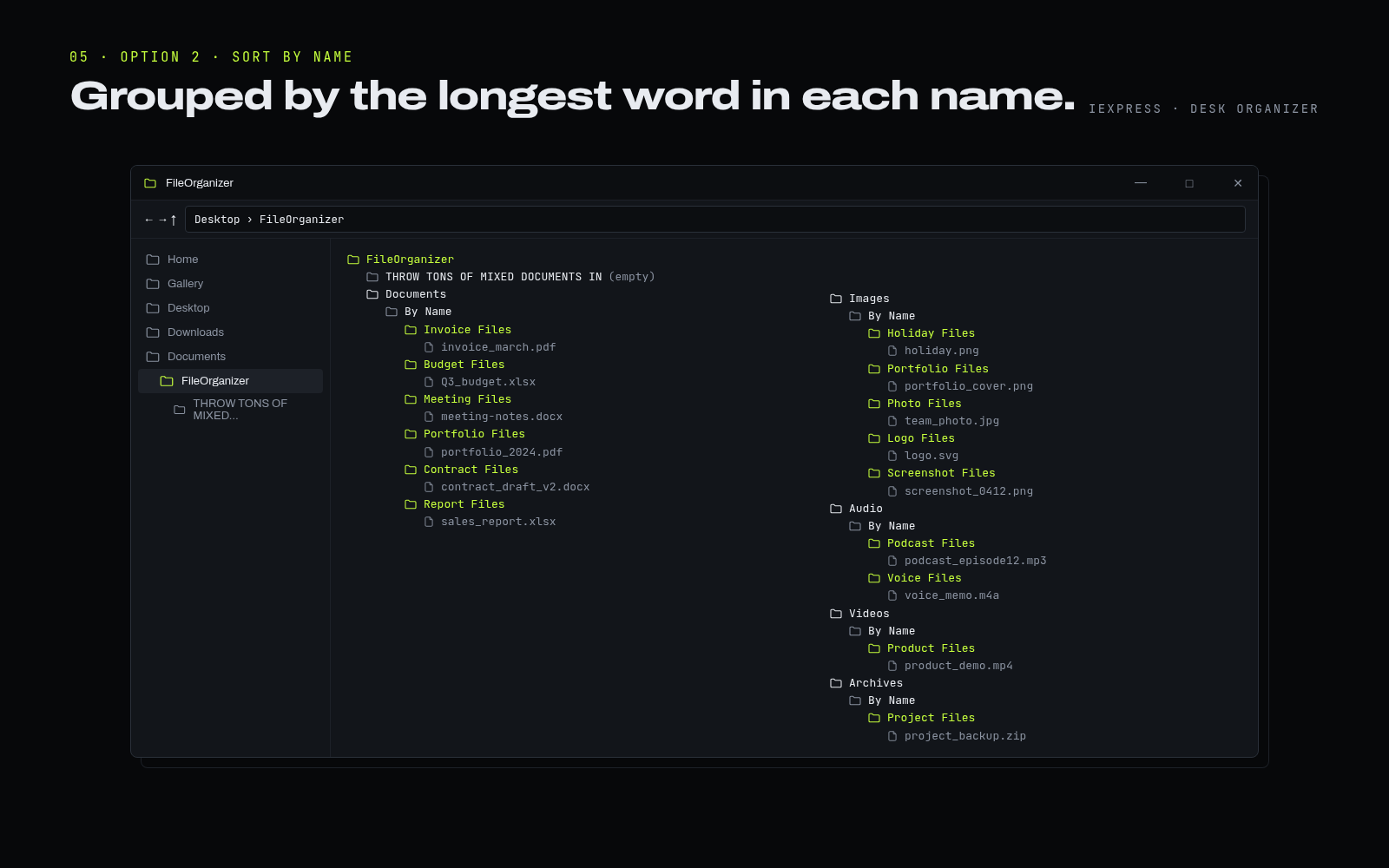
Sorts hundreds of disorganized files in under a second.
All processing takes place locally. Private data never reaches a remote server.
Separates media such as images, audio and video from business documents, and files them automatically by extension type or by name keyword.
Runs quietly in the background, without command terminals or pop-up code windows.
Works indefinitely out of the box, with no system updates required.
Extract the entire zip file to any folder (right-click the file, then select Extract All).
Double-click Install Desk Organizer.cmd. If Windows displays “Windows protected your PC”, select More info, then Run anyway.
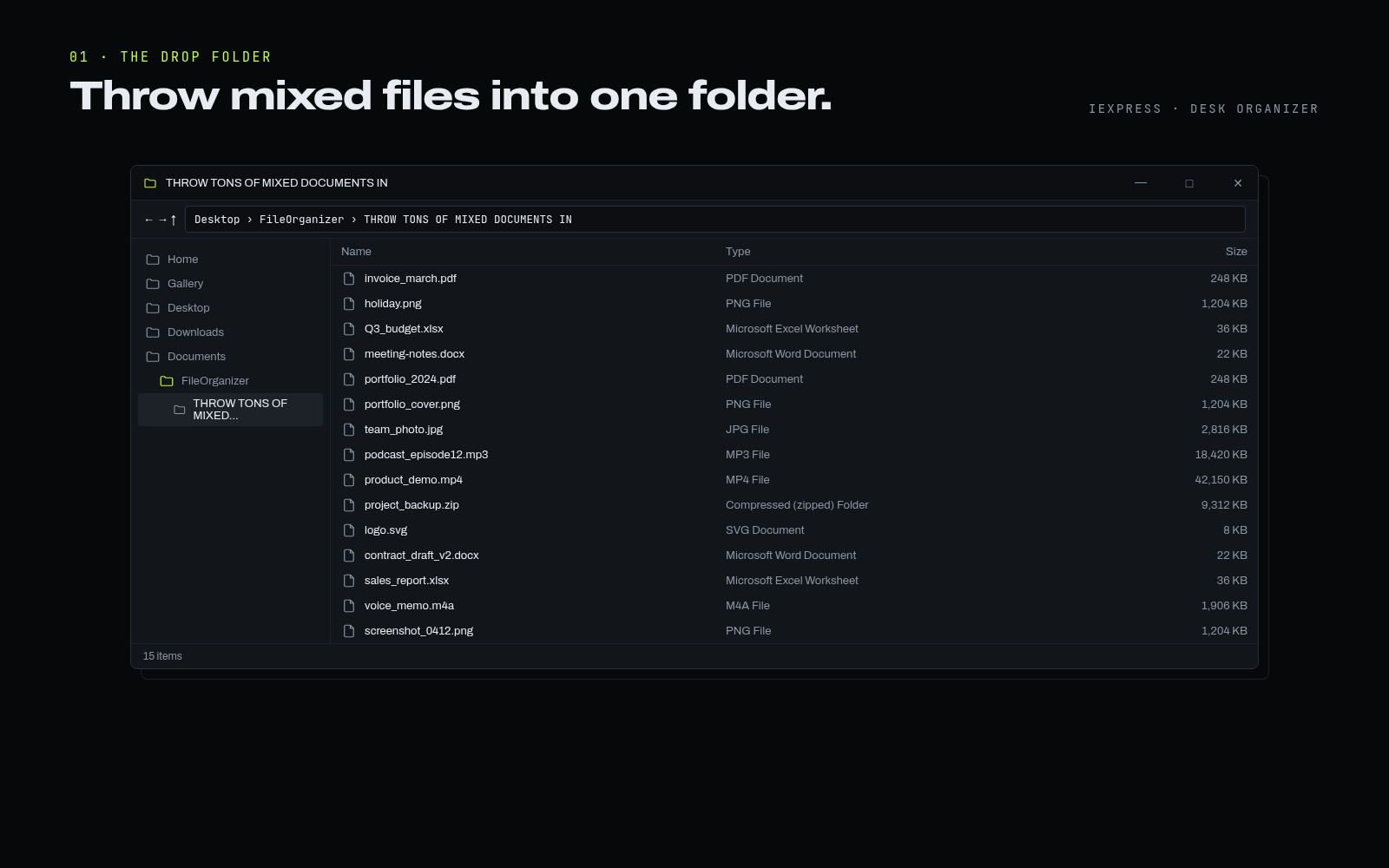
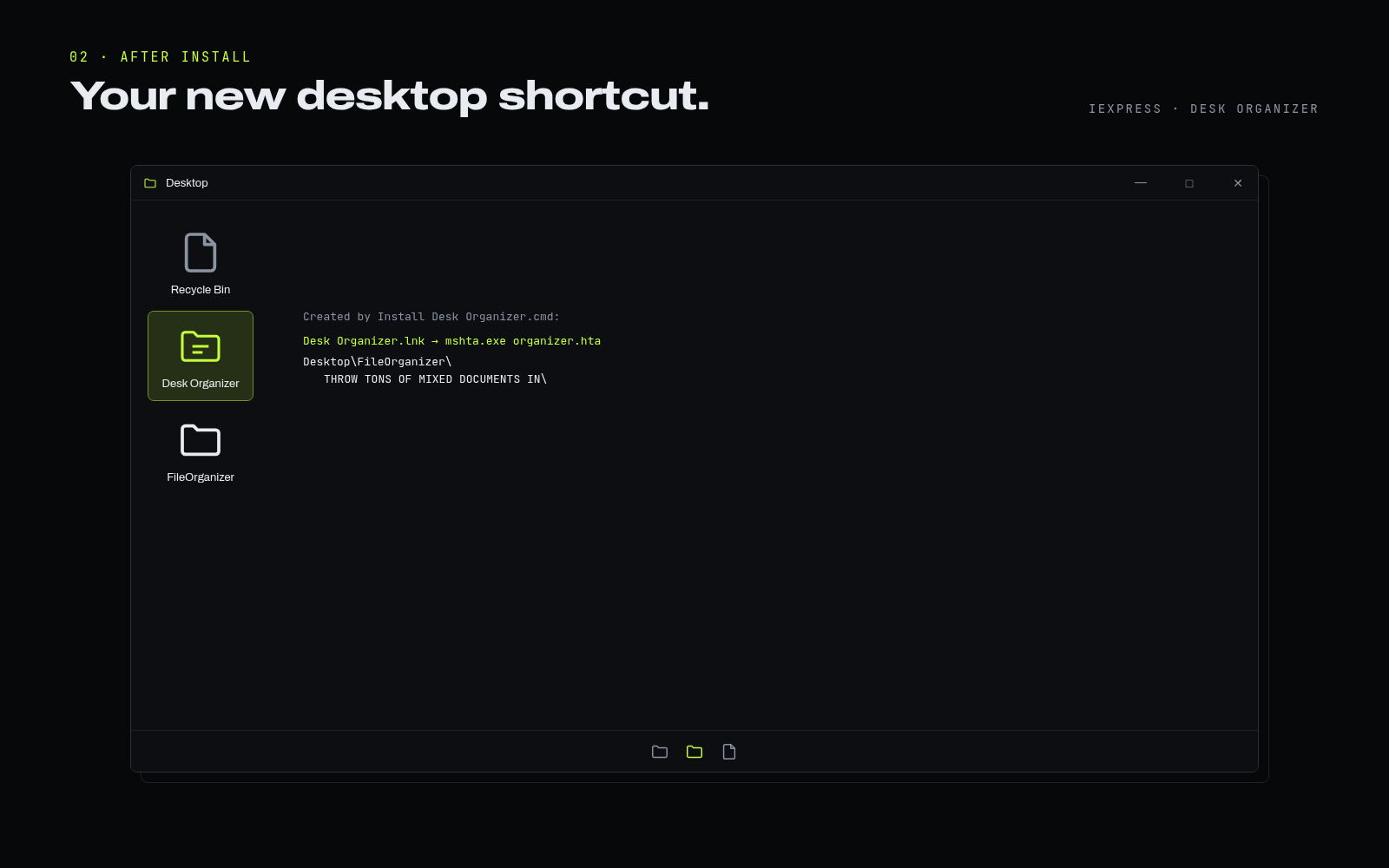
A Desk Organizer shortcut appears on your desktop, together with the folder Desktop\FileOrganizer\THROW TONS OF MIXED DOCUMENTS IN.
Place any files in the THROW TONS OF MIXED DOCUMENTS IN folder.
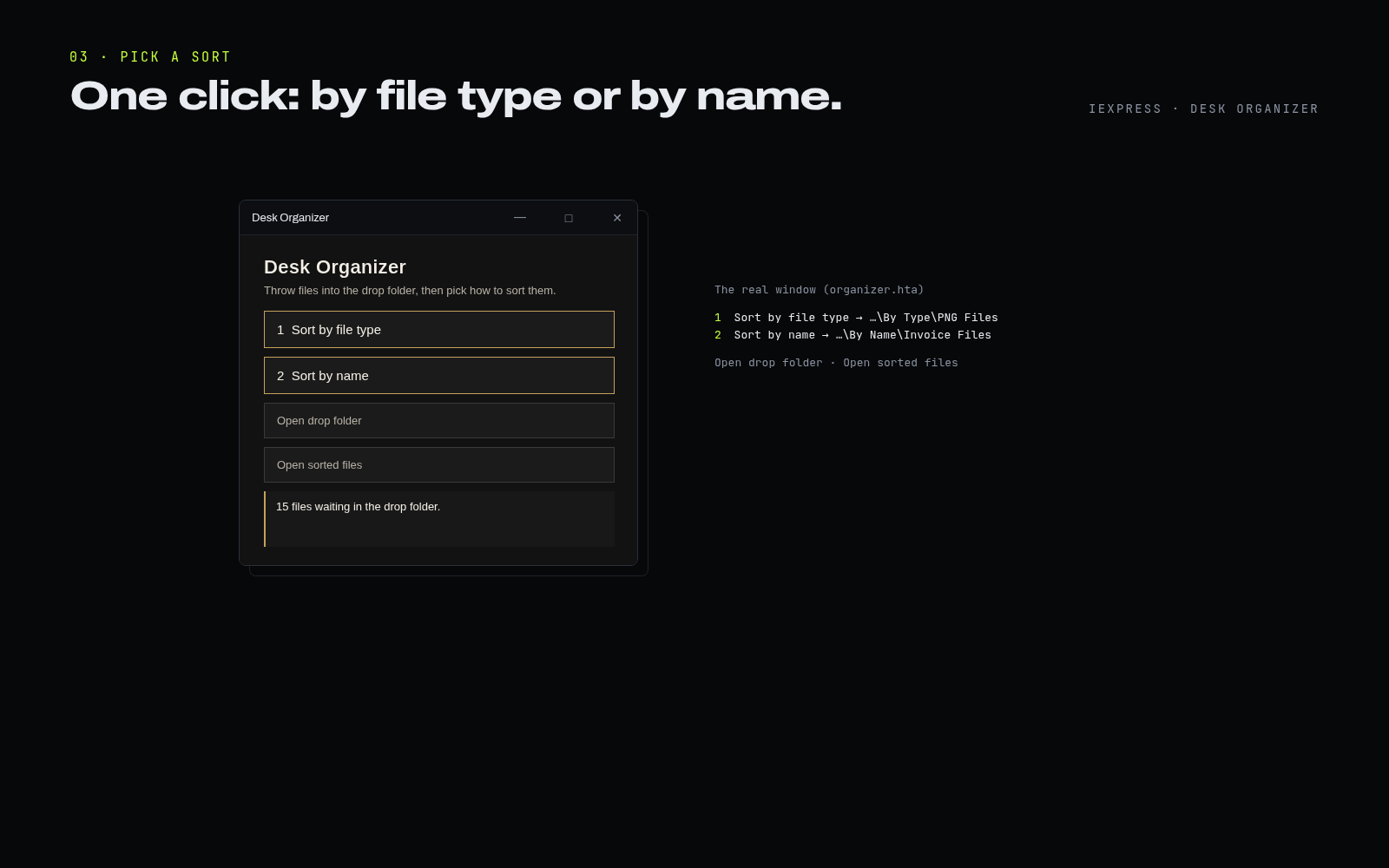
Double-click the Desk Organizer shortcut on your desktop and choose how to sort.
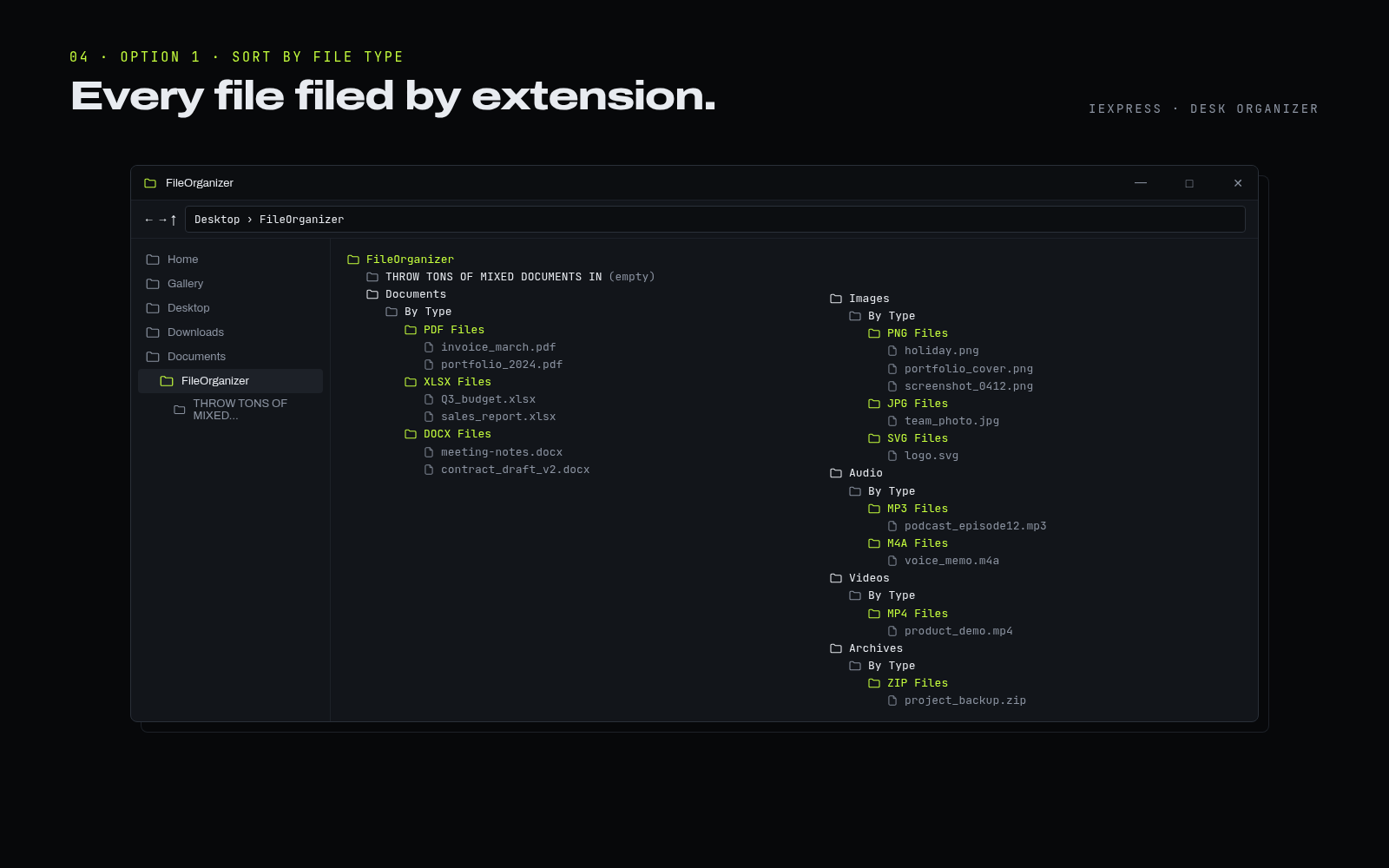
Files are filed by extension, for example FileOrganizer\Images\By Type\PNG Files or FileOrganizer\Documents\By Type\PDF Files.
Files are grouped by the longest word in each file name, for example FileOrganizer\Images\By Name\Holiday Files or FileOrganizer\Documents\By Name\Invoice Files.

Desk Organizer · One-time purchase
A one-time purchase through Gumroad. The download is delivered by Gumroad immediately after payment.