01
Private browser storage
The vault is kept in your browser's LocalStorage for this app. Websites on the internet cannot read it, and nothing is uploaded anywhere.
LocalVaultApp is a private password vault that runs entirely offline in your browser. Every entry is encrypted with AES-256-GCM through the browser's native Web Crypto API before it is saved, and your master password is never stored.
$39 · One-time purchase · Premium · Windows · Offline
The vault is kept in your browser's LocalStorage for this app. Websites on the internet cannot read it, and nothing is uploaded anywhere.
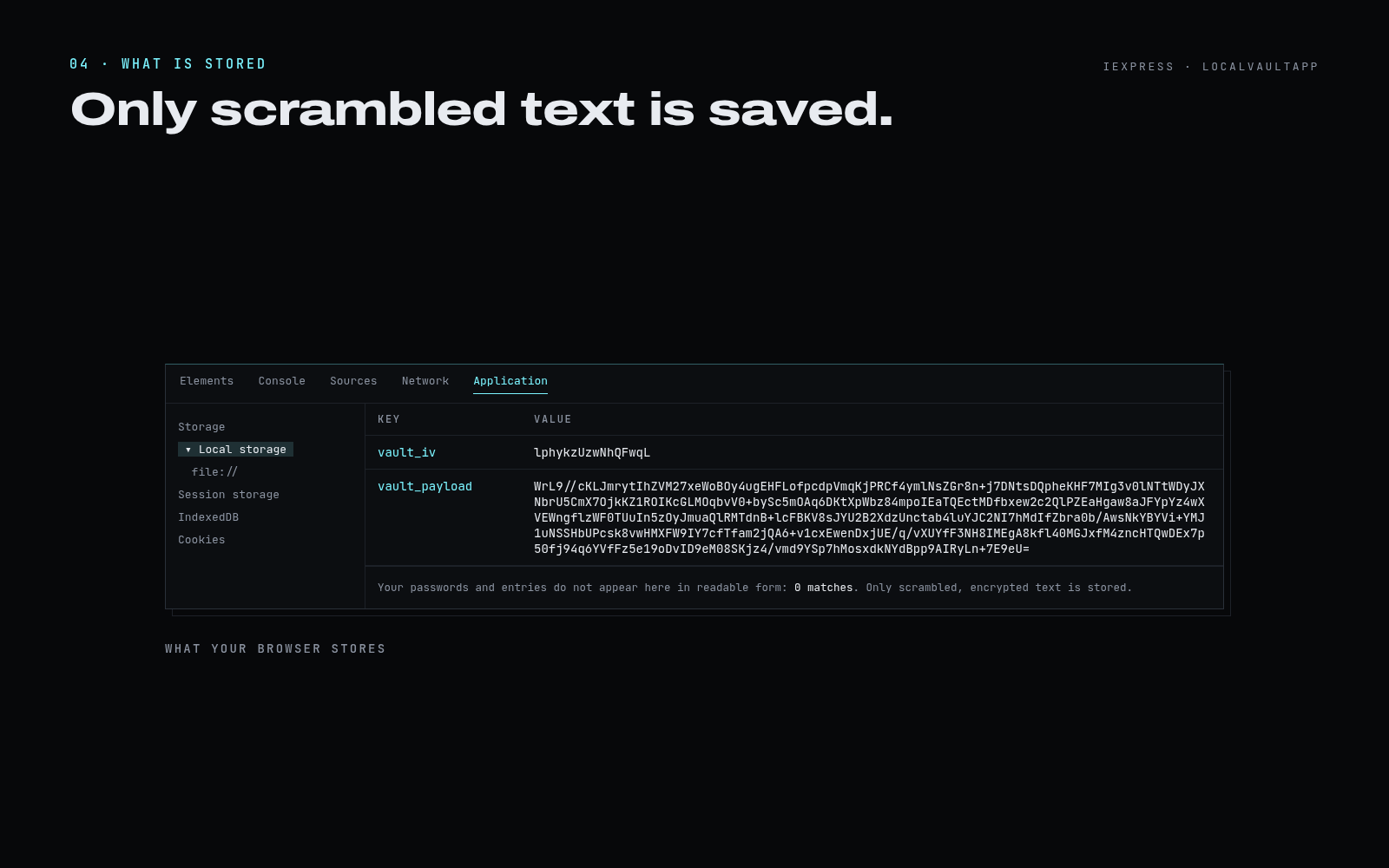
Each time you save, the whole vault is encrypted with AES-256-GCM and a fresh random 12-byte IV. LocalStorage holds only unreadable Base64 text, such as XIoQQx3Kcs4P8eoGfGXY…
Your master password is used only as a temporary key. It is turned into an AES key in memory with PBKDF2 (SHA-256, 100,000 iterations), and the key is discarded when you lock the vault.
All encryption uses the Web Crypto API built into your browser. No third-party cryptography library is included.
The app makes no network requests. It works with Wi-Fi switched off or in airplane mode, and no data is ever sent to a server.
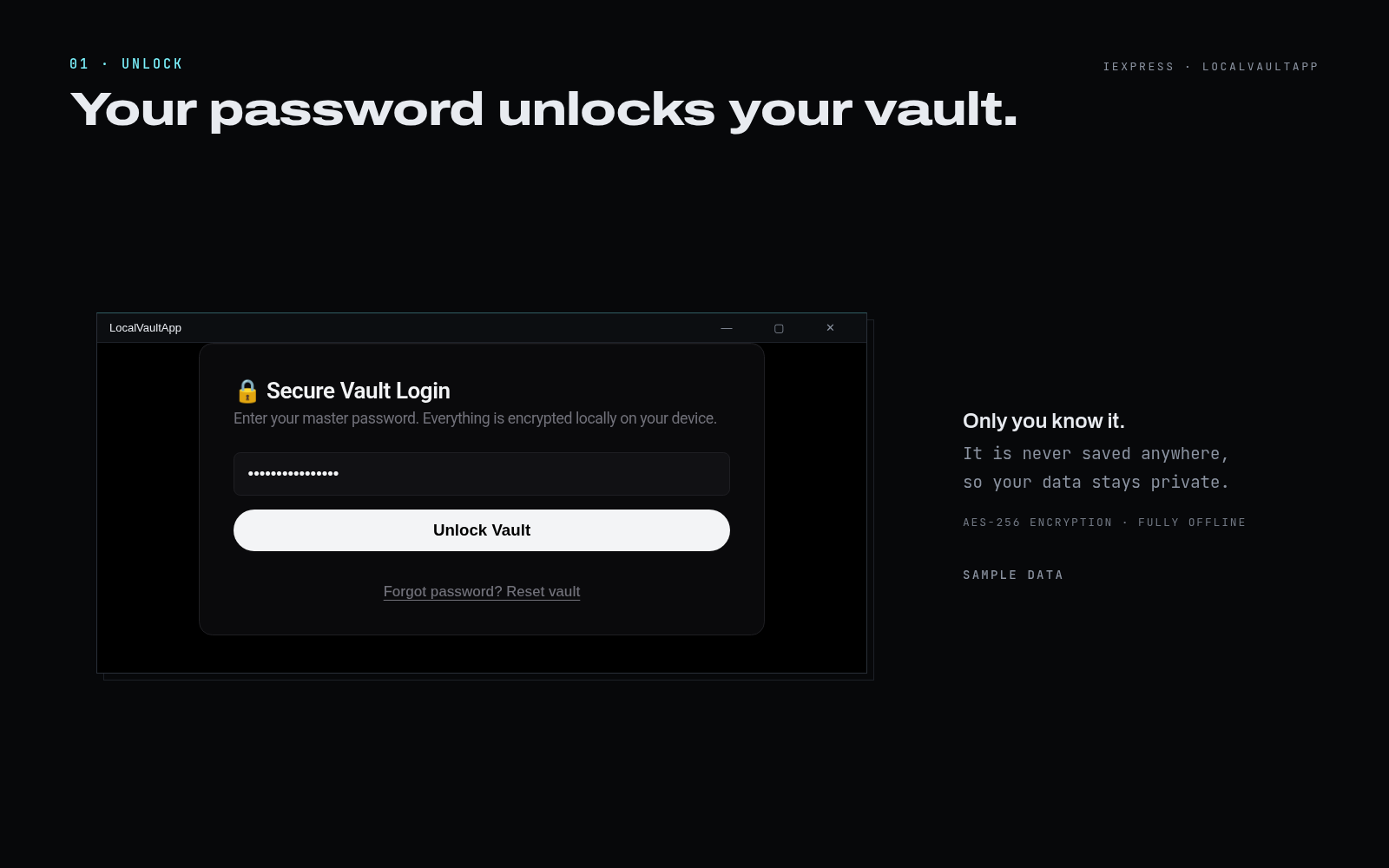
If someone types the wrong password, nothing opens. Your vault simply stays locked and protected.
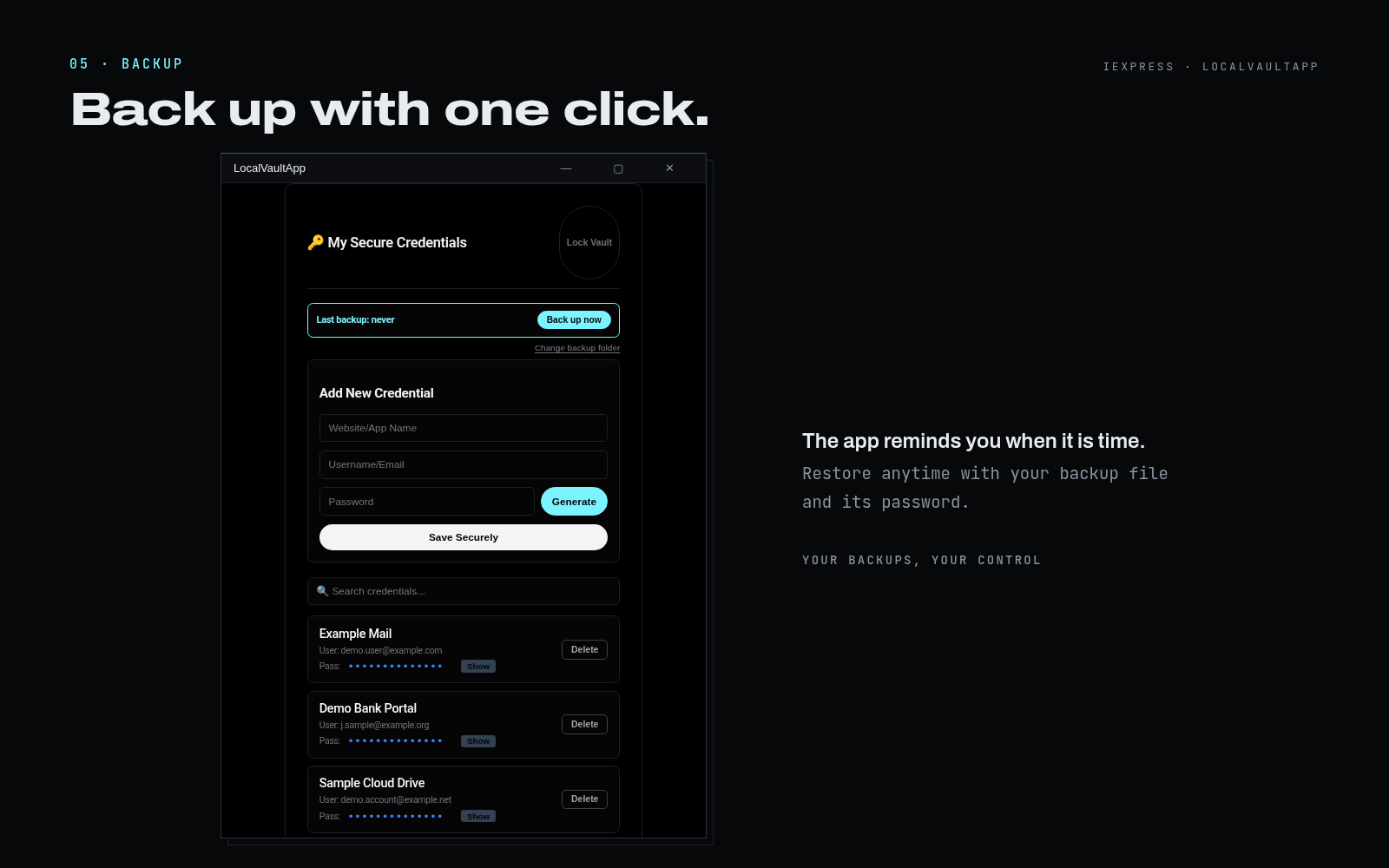
Back up now saves an encrypted copy of your whole vault. Restore it anytime with that backup file and its password. A banner shows your last backup, and the app reminds you when it is time for a new one.
Name, username and password as you type them.
Encrypted with AES-256-GCM using the key derived from your master password.
Only the IV and the Base64 ciphertext are written to LocalStorage.
Extract the entire zip file to any folder (right-click the file, then select Extract All).
Double-click run.vbs to open LocalVaultApp in its own Microsoft Edge app window. Alternatively, launch.bat opens it in Edge, or in your default browser if Edge is unavailable.
On first use, the password you choose creates your vault. It is never stored, which keeps your data private, so keep it somewhere safe.
Enter your master password and select Unlock Vault. The vault is decrypted in memory only.
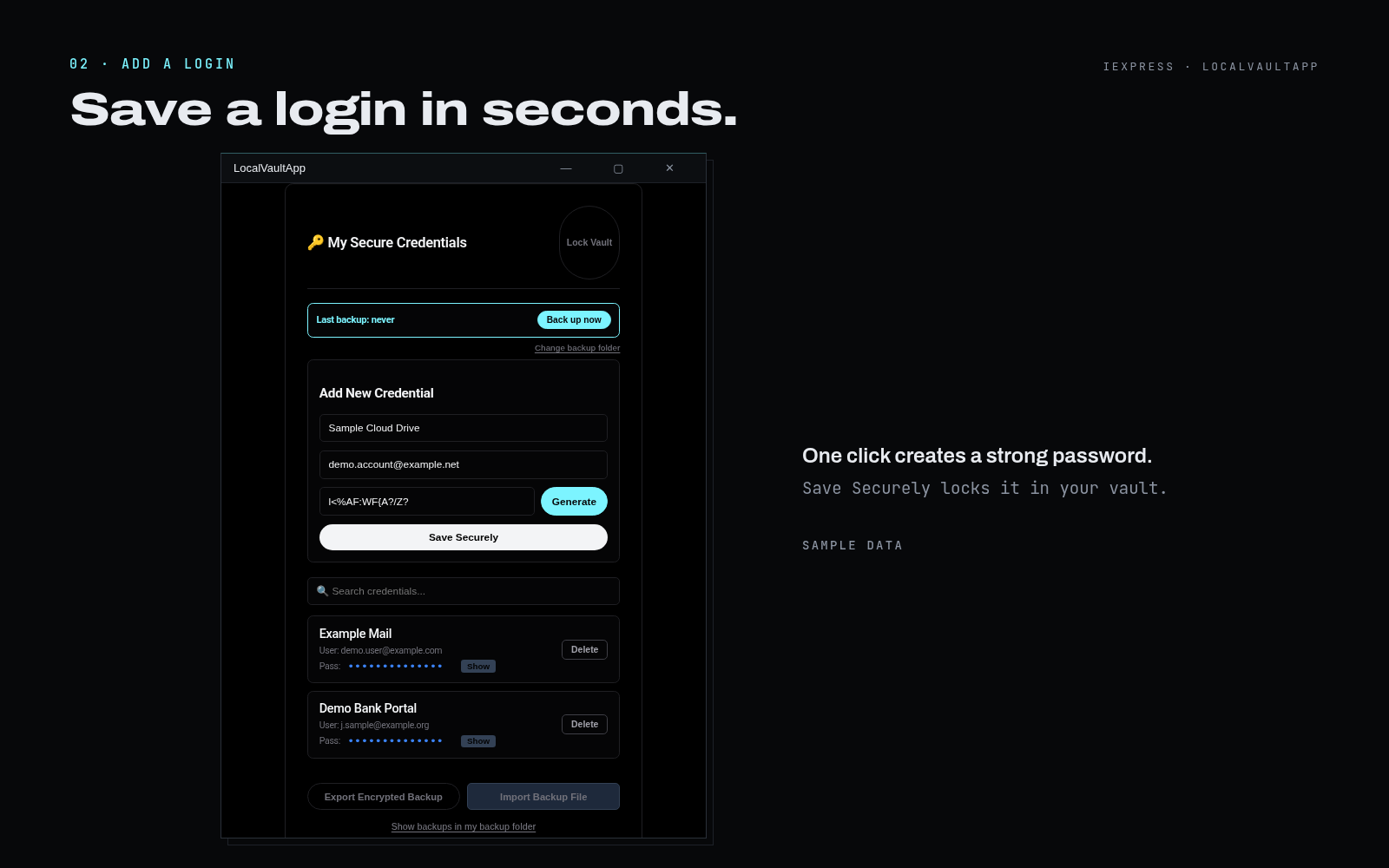
Enter the website or app name, the username and the password, or select Generate for a random 14-character password. Save Securely encrypts and stores the vault.
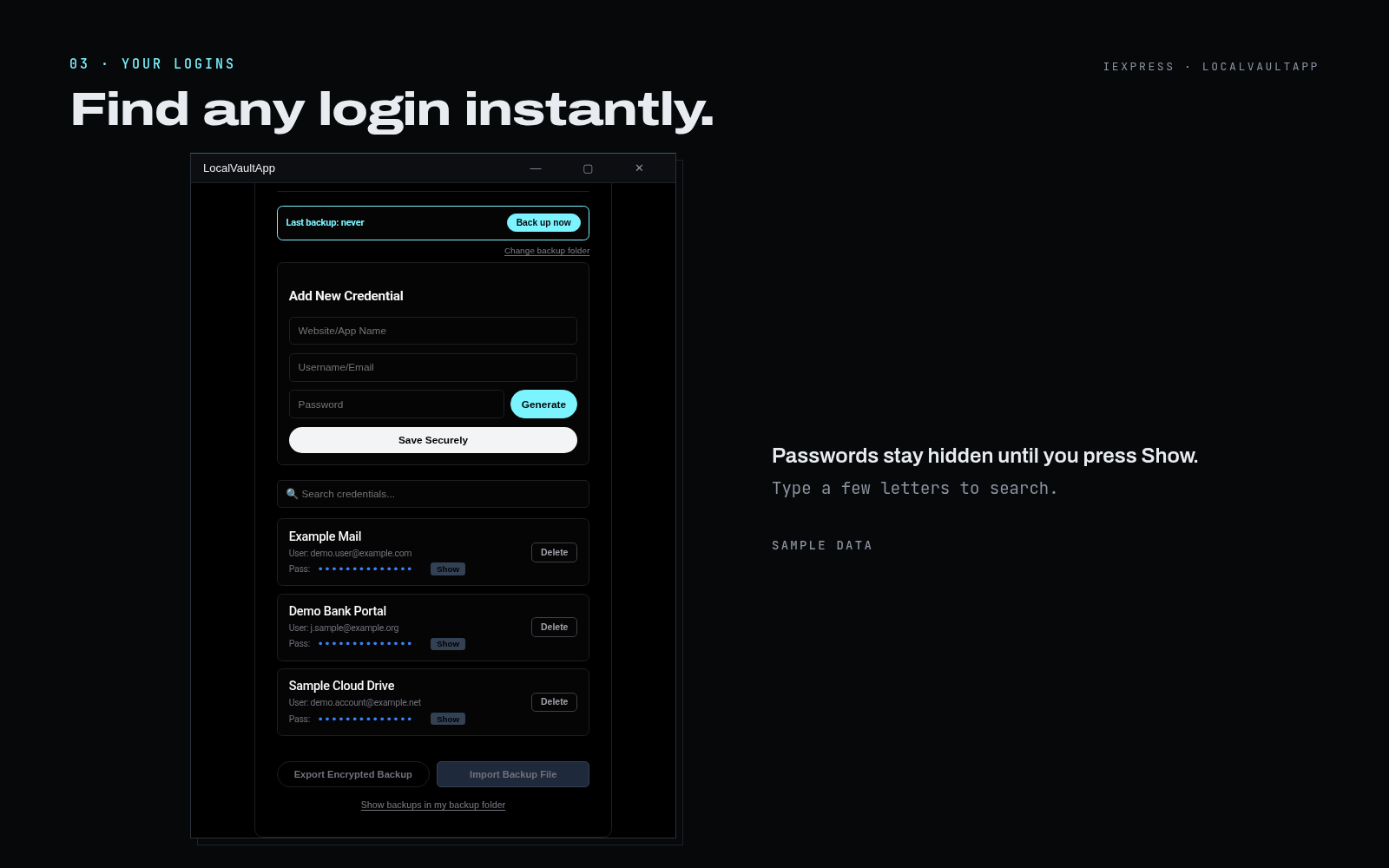
Search filters entries by name or username as you type. Each password stays hidden until you select Show.
Back up now saves an encrypted, time-stamped backup file to the folder you choose, and it can be imported on another PC. Select Lock Vault when you are finished. Your latest backup restores everything, so back up regularly.
Keep the app and your encrypted backups on a dedicated USB drive, and your vault can be restored on any Windows PC.
Any standard USB flash drive is suitable. Reserve it for LocalVaultApp and your backups, and label it clearly.
Copy the LocalVaultApp zip file to the USB drive. You can then set up the app on any Windows PC, even without your original download.
Choose a folder on the USB drive as your backup folder. Each backup contains your entire vault, however many logins, email accounts and notes it holds, in one encrypted, time-stamped file.
On a new or replacement PC, unzip the app on another Windows PC and start it with run.vbs. Select Restore from a backup file, choose the backup on the USB drive and enter the master password that was in use when it was made. Everything in that backup is back in moments.
For extra peace of mind, keep a second copy of your latest backup in another place, and refresh it regularly.
What to know

LocalVaultApp · $39 one-time purchase
A one-time Premium purchase of $39 through Gumroad. The download is delivered by Gumroad immediately after payment.